Description
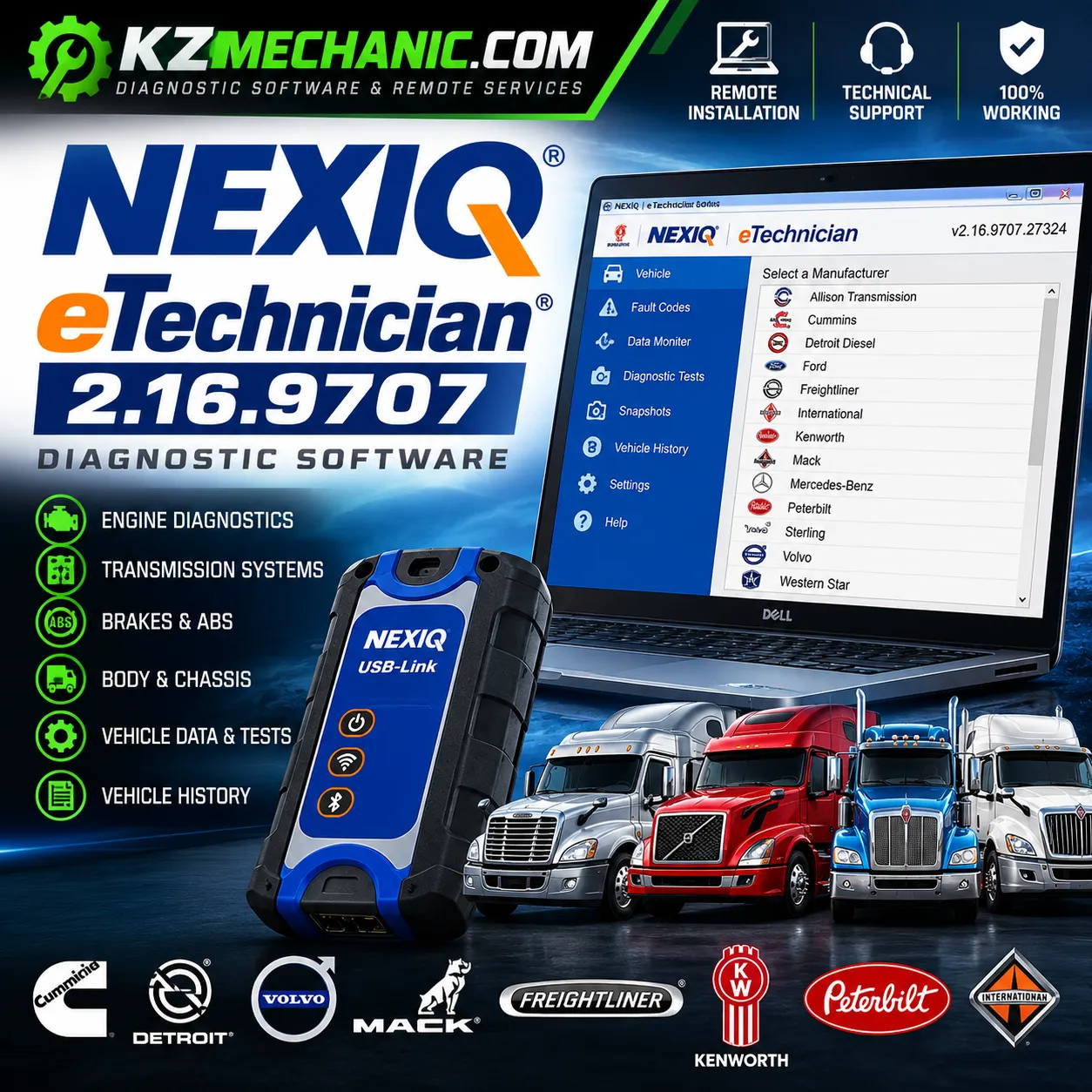
NEXIQ eTechnician 2.16.9707 Diagnostic Software
NEXIQ eTechnician is a professional PC-based commercial vehicle diagnostic application designed for technicians, workshops, fleet maintenance departments and truck repair professionals.
This KZMechanic product provides a remote installation and setup service. Our technician connects securely to your Windows computer and assists with installing, configuring and testing the software.
Product Specifications
| Software | NEXIQ eTechnician |
| Version | 2.16.9707.27324 |
| Software Type | Commercial Vehicle Diagnostic Software |
| Vehicle Coverage | Heavy-Duty, Medium-Duty & Supported Light-Duty Commercial Vehicles |
| Diagnostic Systems | Engine, Transmission, ABS/Brakes, Body, Chassis & Other Supported ECUs |
| Diagnostic Functions | Fault Codes, Live Data, Diagnostic Tests, Vehicle Information, Recordings & Vehicle History |
| Supported Interface | Compatible NEXIQ / Supported Vehicle Communication Interface |
| Operating System | Windows PC |
| Installation Type | Remote Installation & Setup |
| Remote Connection | AnyDesk, TeamViewer or UltraViewer |
| Internet Connection | Required for Remote Installation |
| Delivery Method | Online Remote Service – No Physical Shipping |
| Installation Support | Included |
| Technical Support | Included |
| Diagnostic Adapter | Not Included |
Important: Vehicle coverage and available diagnostic functions depend on the vehicle manufacturer, model, model year, ECU and installed vehicle systems. A compatible diagnostic interface is required for vehicle communication.
🚛 Professional Commercial Vehicle Diagnostics
NEXIQ eTechnician provides extensive diagnostic coverage for commercial vehicles, including supported heavy-duty, medium-duty and light-duty applications.
Depending on the vehicle and control module, diagnostic coverage can include:
- Engine systems
- Transmission systems
- ABS and braking systems
- Body systems
- Chassis systems
- Aftertreatment systems
- Vehicle electronic control modules
🔧 Main Diagnostic Functions
- Read active diagnostic fault codes
- Read and clear supported inactive fault codes
- View live vehicle and ECU parameters
- Perform supported bi-directional diagnostic tests
- Graph diagnostic parameters
- Record diagnostic information
- Create technician notes
- Access vehicle diagnostic history
- View component and ECU information
- Perform supported service and diagnostic routines
🚚 Supported Heavy-Duty Applications
Current NEXIQ coverage includes applications from major commercial vehicle and engine manufacturers such as:
- Cummins
- Detroit Diesel
- Volvo
- Mack
- Freightliner
- Kenworth
- Peterbilt
- Navistar / International
Vehicle coverage and available tests vary according to model, year, ECU and vehicle configuration.
📊 Vehicle History
eTechnician includes vehicle-history functionality that can help technicians maintain diagnostic records. Supported information can include component details, technician notes, recordings and vehicle life/trip data.
🔌 Diagnostic Adapter Required
A compatible vehicle communication interface is required to communicate between the computer and vehicle.
NEXIQ USB-Link diagnostic interfaces are commonly used with eTechnician. Adapter hardware is not included with this remote software installation service unless specifically stated in the order.
🌐 KZMechanic Remote Installation Service
You do not need to handle the installation alone. Our technician can connect remotely to your computer and complete the setup.
- ✔ Software installation
- ✔ Initial configuration
- ✔ Required setup assistance
- ✔ Diagnostic interface setup assistance
- ✔ Software launch and basic testing
- ✔ Remote technical support
Remote connection can be completed using AnyDesk, TeamViewer or UltraViewer.
⚠️ Important Information
This listing is for a remote installation and technical setup service. Diagnostic adapter hardware is not included unless specifically stated.
Available diagnostic functions, tests and configurable parameters depend on the vehicle, model year, ECU and module being diagnosed.
KZMechanic is an independent technical service provider and is not affiliated with or endorsed by NEXIQ Technologies or the vehicle manufacturers mentioned on this page. All trademarks belong to their respective owners.